
Disclosure: we make Swift Performance, a caching plugin that also ships an image optimizer. It is not one of the alternatives listed below. It gets one short section near the end, where we say what it does and does not do, so you can decide whether it belongs in your stack. Prices and limits were checked on the vendors’ own pricing pages and on wordpress.org on September 3, 2026, and the screenshots come from a WordPress 7.1 test site where we installed every plugin.
ShortPixel is a good plugin. Most people who search for a ShortPixel alternative are not unhappy with the compression. They are unhappy with the math. One credit is used for every image or thumbnail ShortPixel shrinks by at least 5%, and every WebP or AVIF copy costs another credit. ShortPixel’s own knowledge base works it out: one upload with eight thumbnail sizes plus WebP is 18 credits. The free plan gives you 100 credits a month, so five or six photos and you are done. The one-time packs start at $19.99 for 30,000 credits, and the flat Unlimited plan is $9.99 a month (or $99.90 a year) with a 500 GB monthly CDN cap.
That Unlimited plan is honestly decent value. So the question is not “is ShortPixel bad” but “which pricing model fits the way my site uses images”. The seven options below each count your money differently: per megabyte, per visit, per compression, per site, or not at all because the work happens on your own server. This article is about picking the model, then the plugin.
First, the five questions that actually decide it
- Where does the compression run? ShortPixel, Imagify, Smush, TinyPNG and Optimole send your files to their cloud. EWWW and Converter for Media can do everything on your server with no account. Cloud is easier on shared hosting. Local is free forever and never sends your files anywhere.
- What unit do you pay in? Credits per thumbnail (ShortPixel, EWWW’s API, TinyPNG), megabytes of original file size (Imagify), monthly visits (Optimole), sites (Smush), or conversions (Converter for Media Pro). Your media library and your traffic decide which unit is cheap for you.
- Are WebP and AVIF in the free tier? Imagify and Optimole include both for free. EWWW and Converter for Media give you WebP for free and gate AVIF. Smush puts both behind Pro. If you want to know whether AVIF is worth chasing at all, we measured the trade-off separately.
- How are the optimized files delivered? Rewritten to a CDN URL (Optimole, ShortPixel CDN, Smush CDN, EWWW Easy IO), served by web-server rewrite rules (Converter for Media, EWWW), or through a
<picture>tag. Rewrite rules fail silently on some hosts. CDN URLs create the next question. - What happens when you stop paying? Plugins that replace files in place leave you with optimized images and, if you kept backups, the originals. Services that rewrite URLs leave you with your originals and a slower site. Services that offload your originals to their cloud need a “transfer back” step before you cancel. Optimole documents that offloaded images can be deleted after an inactive account is cleaned up.
How each tool counts your money
This is the table we wish we had found when we started. Prices are the vendors’ September 2026 list prices in USD. “Free” describes the tier you get without paying, not a trial.
| Tool | You pay per | Free tier | Paid entry point |
|---|---|---|---|
| ShortPixel (baseline) | Credit: one per image, per thumbnail, per WebP/AVIF copy | 100 credits a month | $9.99/mo Unlimited, or one-time packs from $19.99 (30,000 credits) |
| EWWW Image Optimizer | Nothing locally. API: one credit per file | Unlimited local compression, WebP included | $8/mo Standard (API + CDN), or credits from $3 |
| Imagify | Megabytes of original file size | 20 MB a month, 2 MB per file | Growth $4.99/mo billed yearly ($5.99 monthly). Infinite $9.99/mo billed yearly ($11.99 monthly) |
| Smush | Site (WPMU DEV membership) | Unlimited images under 5 MB, lossy Super mode | $50/yr for 1 site. Unlimited sites $9.99/mo (promo price shown) |
| Optimole | Monthly visits | 2,000 visits a month, 22,000 with badge | $22.90/mo for 48,000 visits |
| TinyPNG | Compression (thumbnails and conversions count) | 500 compressions a month | $0.009 per compression, no subscription |
| Converter for Media | Nothing locally. Pro: per conversion | Unlimited local WebP | Pro $5/mo for 10,000 conversions, unlimited sites |
| No plugin (core + Modern Image Formats) | Nothing | Everything | Nothing to buy. Cloudflare Polish needs the $25/mo Pro plan |
And the same tools by what they actually do with the files:
| Tool | Runs | WebP / AVIF in free tier | CDN |
|---|---|---|---|
| ShortPixel (baseline) | Cloud | Yes / Yes, each costs a credit | Included, 500 GB/mo cap |
| EWWW Image Optimizer | Local or cloud | Yes / No (Easy IO only) | Paid (Easy IO) |
| Imagify | Cloud | Yes / Yes | None |
| Smush | Cloud | No / No (Pro) | Pro only |
| Optimole | Cloud, on the fly | Yes / Yes | Yes, it is the product |
| TinyPNG | Cloud | Yes / Yes, doubles the credits | None |
| Converter for Media | Local (Pro: cloud) | Yes / Pro only | None, BunnyCDN supported |
| No plugin (core + Modern Image Formats) | Local, in the browser since WP 7.1 | Yes / Yes if the server has libavif | Cloudflare Polish, Pro plan |
One thing the table cannot show: on our test site, Imagify, Smush and EWWW each threw a warning about the others being active. Every one of these plugins expects to be the only image optimizer on the site. Pick one, and remove the previous one properly (we cover how in the FAQ).
The alternatives, one by one
EWWW Image Optimizer: unlimited, on your own server
EWWW is the closest thing to a ShortPixel alternative with no meter. In its free local mode it runs jpegtran, optipng, pngquant, gifsicle and cwebp on your server, so there is no account, no credit and no file limit. Over a million sites use it and it holds a 4.8 rating from 1,838 reviews. The catch is the default compression level: free JPEG compression is lossless (“Pixel Perfect”), which EWWW itself puts at around 8% savings. Lossy PNG through pngquant is free, but lossy JPEG and the MozJPEG “Pixel Perfect Plus” level need the paid Compress API. WebP conversion is free and local. AVIF only exists in the paid Easy IO CDN.
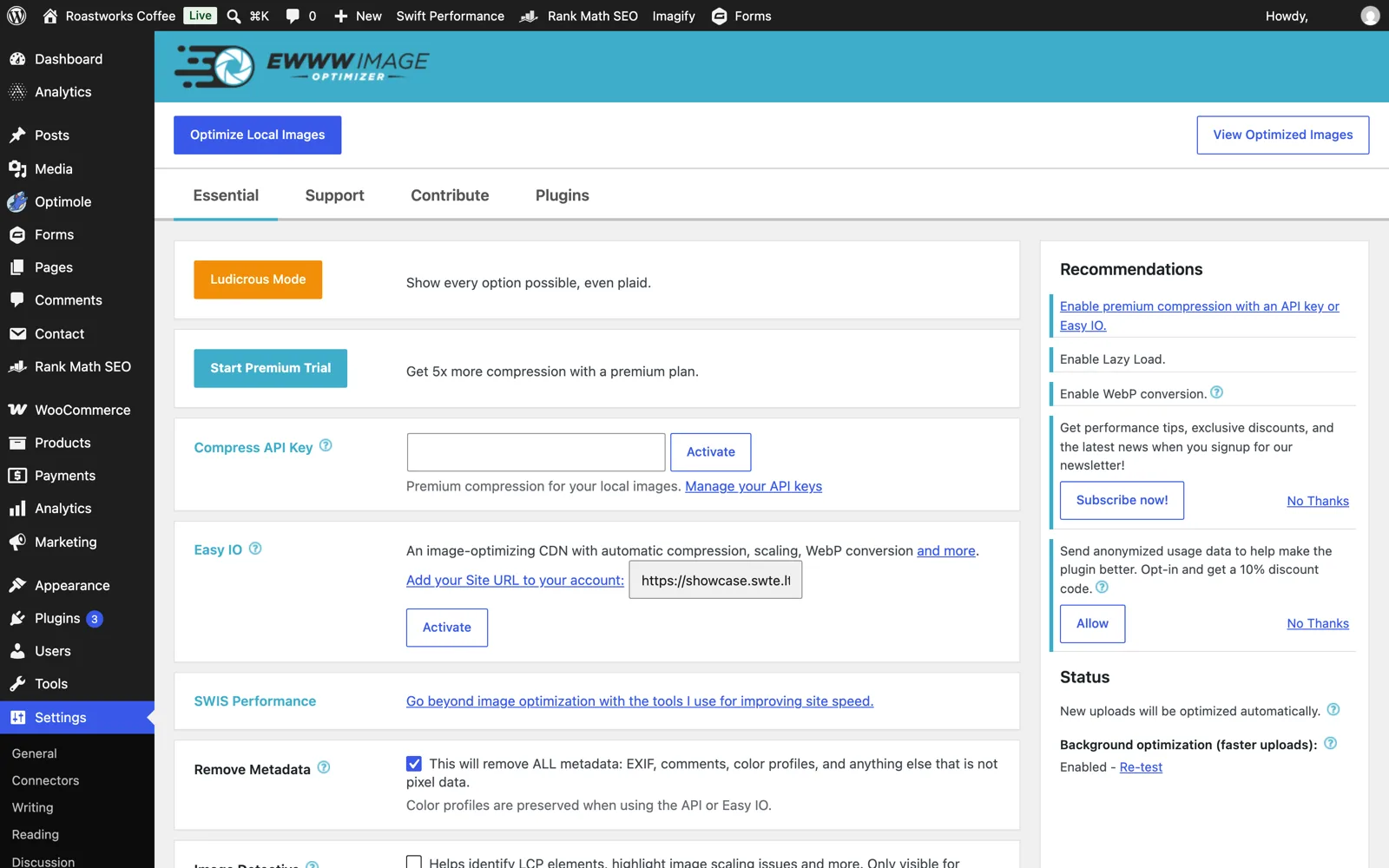
The paid side is a bundle: Standard is $8 a month or $80 a year and includes the Easy IO CDN for unlimited sites with 50 GB of bandwidth plus 25,000 API credits a month. Growth ($16/mo) and Infinite ($32/mo) raise bandwidth and credits. Credits alone cost $3 for 1,500 and never expire, and like ShortPixel every thumbnail is its own credit. The one hard requirement: the free local mode needs PHP’s exec(). Some shared hosts block it. When that happens EWWW falls back to a free API that does lossless JPEG and WebP only, and PNG needs credits.
For: you want compression with no monthly limit and no third party, and your host allows exec(). Also the best fit if you want to keep the option of adding a CDN later without switching plugins.
Against: the free JPEG savings are small because they are lossless. To get ShortPixel-style lossy results you are back on a credit meter, and AVIF needs the CDN bundle.
Imagify: the simplest pricing, the smallest free tier
Imagify, from the WP Rocket team, fixes the thing people hate most about ShortPixel: there is no credit arithmetic. You pay for data, measured as the original size of every file you send, and thumbnails count as separate files. Two modes only, Smart (lossy, auto-tuned) and Lossless. WebP and AVIF are included even on the free plan, originals are backed up to a separate folder by default, and resizing on upload defaults to 2,560 px.
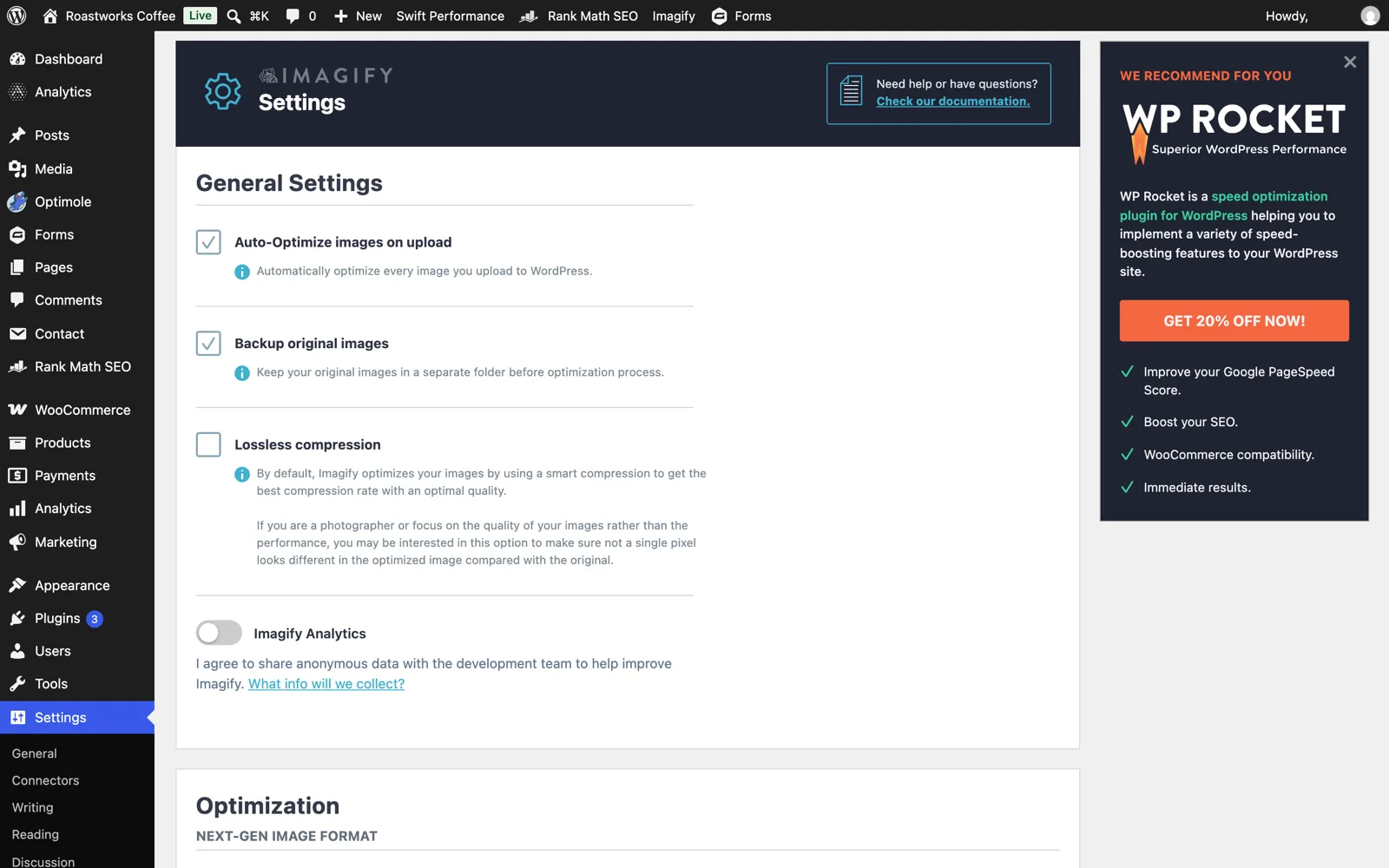
The free plan is 20 MB a month with a 2 MB per-file cap. Imagify says that is “about 200 images”. With camera photos it is a handful, and the one-star reviews on wordpress.org are mostly people who hit the wall after 39 images. Growth is $5.99 a month ($4.99 billed yearly) for 500 MB with $5 per extra gigabyte. Infinite is $11.99 a month ($9.99 billed yearly) with no quota, unlimited sites. That yearly Infinite price is the same as ShortPixel’s Unlimited plan, but without a CDN and without lazy loading, which Imagify’s docs say to get from WP Rocket or Rocket Lazy Load. Imagify has 1+ million installs and a 4.3 rating from 1,653 reviews. Expect upsell notices in wp-admin. Our screenshot above has a WP Rocket promo in the sidebar out of the box.
For: you want a flat, predictable plan and AVIF without thinking about it, and you already have caching, lazy loading and a CDN from somewhere else.
Against: the free plan is effectively a demo, and at the same yearly price ShortPixel bundles a CDN. Re-optimizing consumes quota again, so experimenting with settings costs money.
Smush: the widest free tier, then a whole membership
What the free version gives you
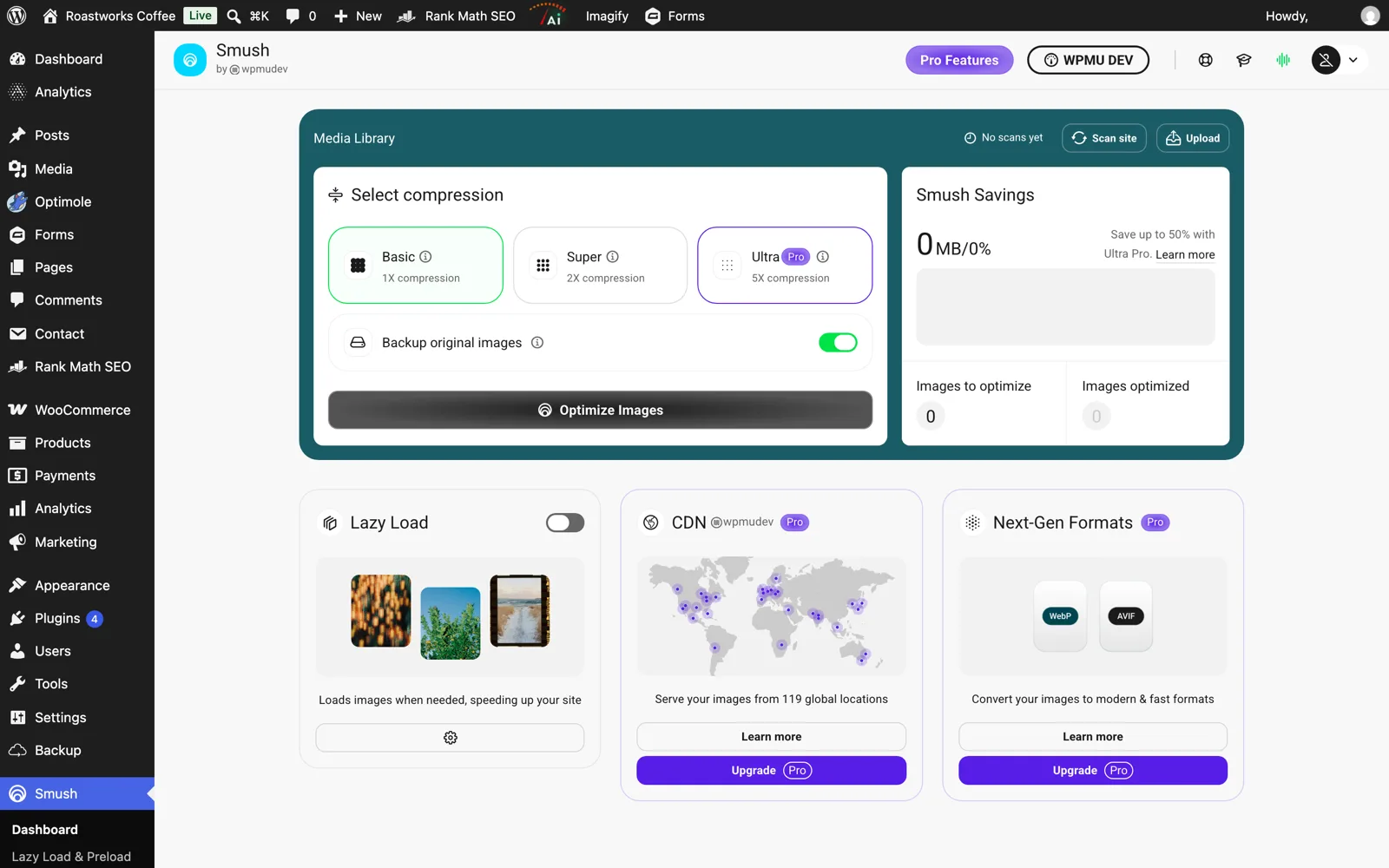
Smush has the most generous free tier on this list for plain compression: unlimited images, no monthly quota, lossy “Super” mode, lazy loading, resize on upload, PNG to JPG conversion and directory optimization outside the media library. Files over 5 MB are skipped. It is the most-reviewed plugin here (4.8 from 6,051 reviews). Version 4.0 in April 2026 removed the old 50-images-per-run bulk limit and added background processing, but also moved several features behind a free WPMU DEV account connection, which is what the recent one-star reviews complain about.
What Pro costs
Everything next-gen is Pro: WebP, AVIF, the “Ultra” 5x compression level, the 119-location CDN and files above 5 MB. There is no Smush-only license. You buy a WPMU DEV plan that includes all of their plugins: $50 a year for one site, $75 for three, $100 for ten, or the Premium tier for unlimited sites, which the pricing page currently shows at $9.99 a month with a promotional $4.99 for the first three months. Per-site pricing for the lower tiers is unusual in this category, where almost everyone else is unlimited-sites.
For: a small site that wants free lossy compression and lazy loading with zero quota, or an agency that already pays for WPMU DEV and gets Smush Pro as a side effect.
Against: no WebP at all without paying, account gating in the free version, and a $50-per-site entry price if you only need one thing from the membership.
Optimole: pay for visitors, not images
Optimole is a different kind of product. It does not touch the files in your uploads folder. The plugin rewrites image URLs to Optimole’s CDN, and each request is resized for the visitor’s viewport, compressed, and served as WebP or AVIF depending on the browser, with lazy loading built in. Your originals stay on your server untouched, and deactivating the plugin simply puts the original URLs back. That makes it the lowest-risk trial on this list, and the natural pick if your problem is oversized images rather than badly compressed ones.
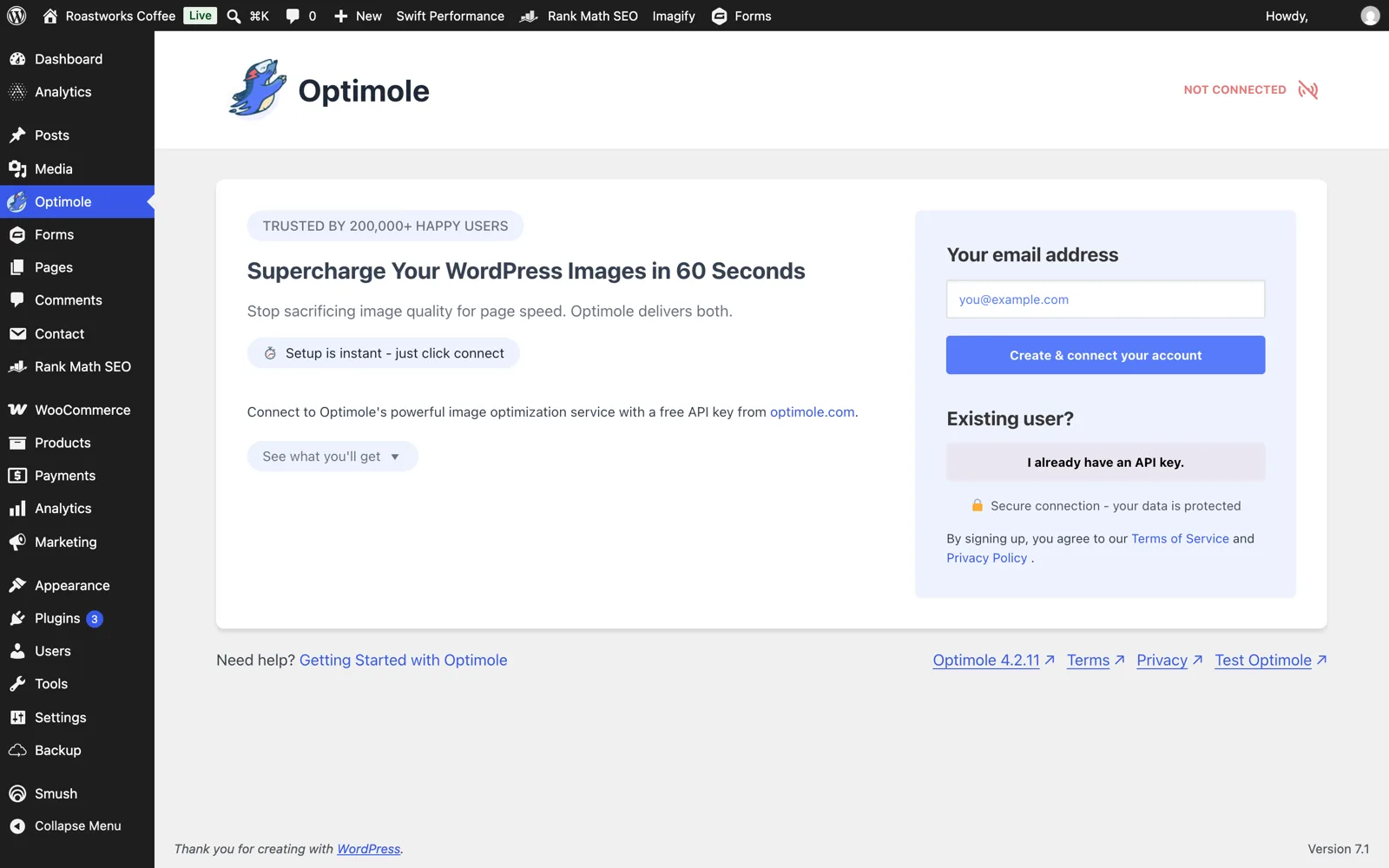
The pricing unit is visits, counted at the CDN. Free is 2,000 visits a month, or 22,000 if you show the Optimole badge, with unlimited images and sites. Starter is $22.90 a month ($229 a year) for 48,000 visits, Business is $47 a month for 120,000 visits and a custom CNAME, and the Flexible tiers go up to 3.6 million visits at $1,399 a month. Exceeding a paid tier triggers an automatic prorated upgrade to the next one. Offloading originals to Optimole’s cloud is a paid feature, and if you use it you must transfer the images back before cancelling. It has 200,000+ installs and a 4.7 rating from 638 reviews.
For: an image-heavy site with modest traffic, or any site where you want responsive resizing and a CDN with a one-click setup and no server load.
Against: a high-traffic blog with few images pays the most for the least. Everything depends on a third-party service staying up and staying paid.
TinyPNG: pay per compression, no subscription
The Tinify plugin is the pure pay-as-you-go option. Your first 500 compressions a month are free with no card, then $0.009 each up to 10,000 a month and $0.002 each beyond that. There is no plan to cancel. The compression quality is the reason TinyPNG’s website exists, and the plugin gives you WebP and AVIF output, resize on upload and a choice of which thumbnail sizes to compress. It has 100,000+ installs and a 4.5 rating.
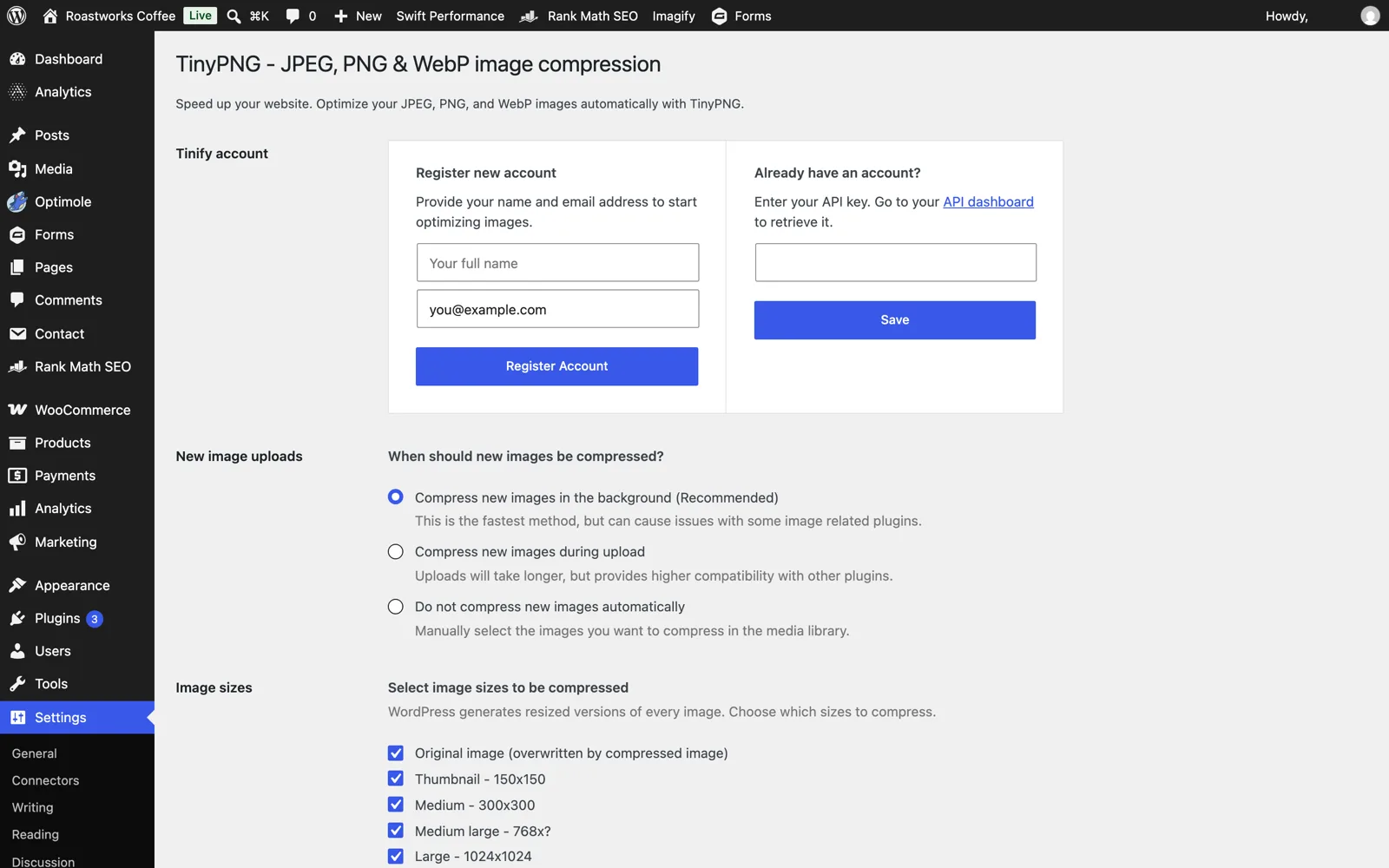
The same thumbnail math as ShortPixel applies, and converting to WebP or AVIF doubles the count per file. Tinify’s own estimate is that the free 500 covers roughly 100 uploaded images a month, or 50 with conversion. Two more things to know: there is no CDN and no lazy loading, and until version 3.8.0 in August 2026 the plugin overwrote originals without a backup. The new backup option exists but is off by default, so turn it on before your first bulk run.
For: a low-volume site that publishes a few images a week and wants top-tier lossy quality without a subscription. Also good for agencies that prefer usage billing on one API key across sites.
Against: a large back-catalog is expensive to bulk-process (10,000 thumbnails is about $90), and it does nothing about delivery.
Converter for Media: free WebP, originals untouched
Converter for Media does one job: it makes a WebP copy of every image in your uploads, plugins and themes folders using your server’s GD or Imagick, stores the copies in a separate uploads-webpc directory, and adds rewrite rules so browsers that accept WebP get the copy at the original URL. Nothing in your media library is modified, and uninstalling deletes the copies. The free version has no image limit and no account. It is at 500,000+ installs with a 4.9 rating from 1,098 reviews, the highest rating in this comparison.
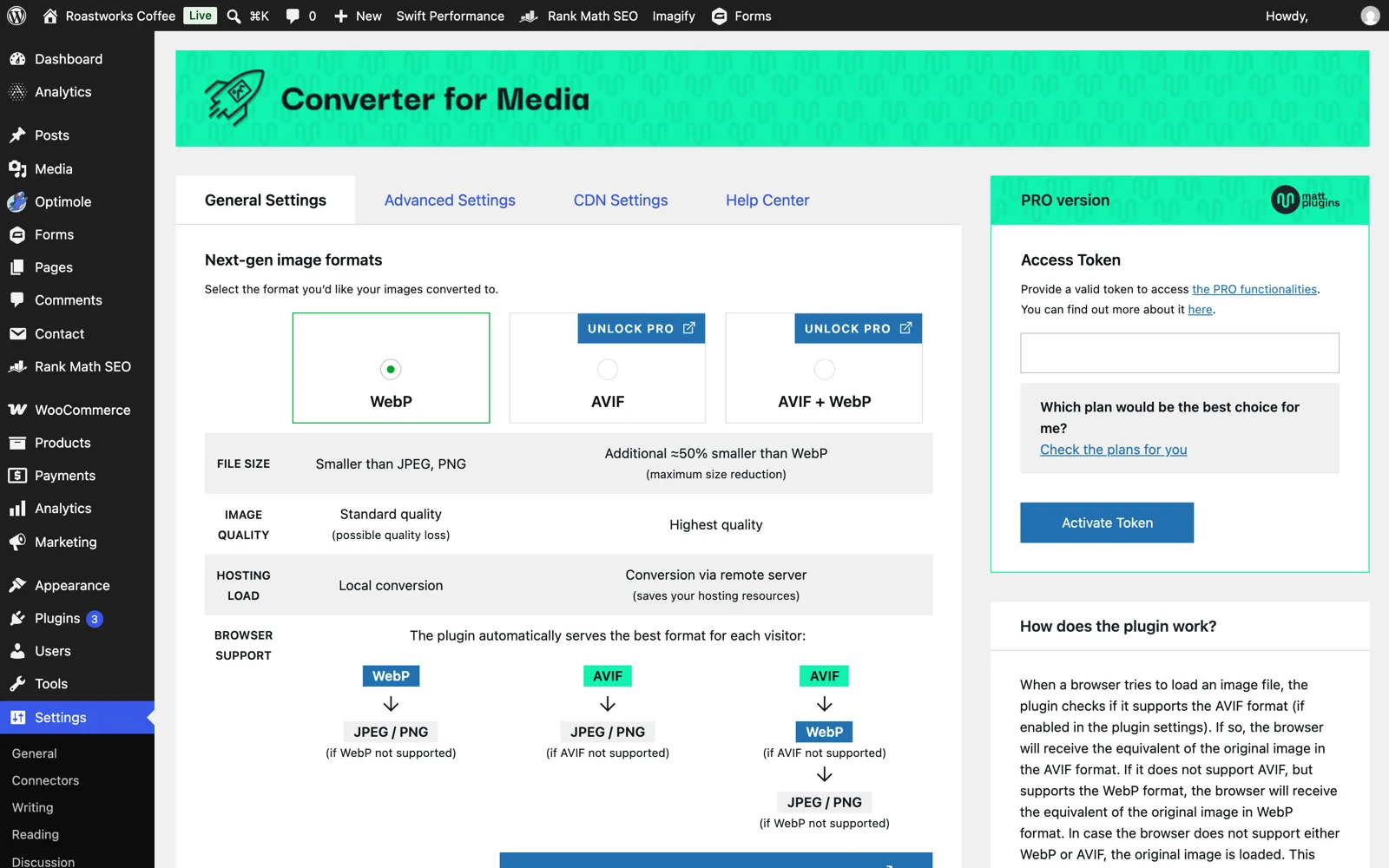
Pro adds AVIF, remote conversion that takes the CPU load off your server, and resizing. It is metered per conversion: $5 a month for 10,000, $10 for 25,000, or $50 a year for 120,000, all for unlimited sites. One image converted to both WebP and AVIF is two conversions. The known weak points come from the delivery method rather than the compression: the rewrite rules need Apache mod_rewrite and mod_mime or a manual Nginx config, and if your images are served from a CDN with a different hostname the rewrite cannot work (BunnyCDN is the exception the author supports). The plugin has a “Pass Thru” loading mode for hosts where rules fail.
For: you are happy with your current JPEG quality and only want next-gen delivery, free, with a guaranteed way back.
Against: it does not compress your JPEGs and PNGs, so pair it with something else or with WordPress’s own quality setting. Rewrite rules on a managed host can fail silently, so verify with the browser’s network tab.
No plugin at all: WordPress 7.1, Modern Image Formats, and Cloudflare
Two things changed in 2026 that make “no optimizer plugin” a real option for new uploads. WordPress 7.1 moved image processing into the browser: resizing and thumbnail generation now happen client-side with WebAssembly before upload, in supporting browsers, and it handles HEIC, AVIF and WebP input. Core still does not convert your JPEGs to WebP or AVIF by default (that proposal was pulled from 6.1 in 2022 and never came back), but the WordPress Performance Team’s Modern Image Formats plugin does exactly that: it generates AVIF sub-sizes when the server supports it, WebP otherwise, with an optional <picture> fallback. It only touches new uploads, so run Regenerate Thumbnails or wp media regenerate for the archive. Core’s default JPEG quality is 82 and the big-image threshold is 2,560 px, both adjustable with a filter.
If you are already on Cloudflare, Polish does lossless or lossy compression plus WebP at the edge for the Pro plan ($25 a month) and above. It is not on the Free plan. What the Free plan does include is Cloudflare Images transformations: 5,000 unique transformations a month at no cost, and format=auto counts as one. That is enough for a small site’s images if you are willing to rewrite URLs yourself. Our Cloudflare free-plan caching guide covers the page side of the same setup.
For: a new site, or anyone who wants next-gen formats with nothing to pay and nothing to renew. Also the right baseline to measure every plugin above against.
Against: no lossy re-compression of the JPEG itself, no CDN unless you bring one, and AVIF depends on the host’s PHP image library, which many shared hosts still ship without libavif.
Where Swift Performance fits, and where it does not
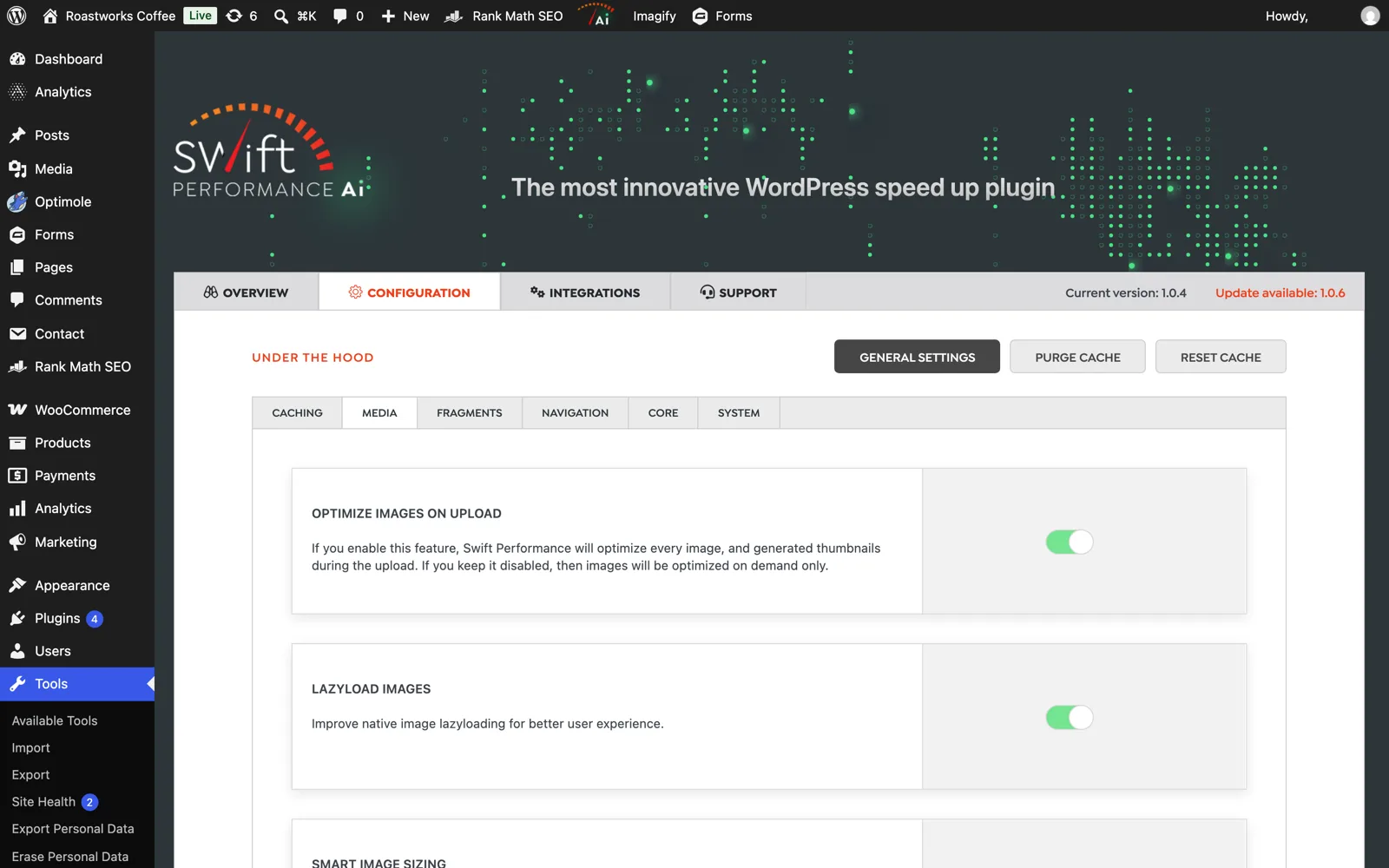
Since you may already be running it: Swift Performance AI includes an image optimizer in every plan, with no credit meter. It compresses on upload or on demand, generates WebP versions on the fly and serves them, resizes images per viewport without a CDN, reuses WebP files other plugins already made, and does LCP-aware lazy loading that skips above-the-fold images. That covers most of what people buy ShortPixel’s Unlimited plan for. It does not output AVIF, it has no CDN, and it is a caching plugin first, so it is not a drop-in for a site that wants an image tool and nothing else. A single-site license is $49.99 a year. If you use it, do not also run one of the plugins above for WebP, or you will get the same “incompatible plugin” warnings we saw in testing. Our comparison with WP Rocket goes into the caching side.
Which one to pick
| Your situation | Pick | Why |
|---|---|---|
| You left ShortPixel because of credit math and want no meter at all | EWWW (free local) or Converter for Media | Unlimited on your server. Accept lossless JPEG or add a quality filter. |
| You want a flat plan and AVIF, and already have a CDN and caching | Imagify Infinite ($9.99/mo yearly) | Same price as ShortPixel Unlimited, simpler quota, no thumbnail arithmetic. |
| Small site, no budget, want lossy compression plus lazy load | Smush free | No quota. Forget WebP until you pay. |
| Image-heavy, low-traffic site, want responsive sizes and CDN in one click | Optimole | Visits-based billing is cheap when traffic is low. Originals stay untouched. |
| A few uploads a week, want the best lossy quality, no subscription | TinyPNG | 500 free per month, then cents per image. Turn on backups. |
| Brand-new site, or you want the free baseline | Modern Image Formats plugin + WP 7.1 defaults | AVIF/WebP for new uploads, no account, no renewal. |
| High-traffic site with thousands of images and a CDN cap you keep hitting | Stay on ShortPixel Unlimited, or EWWW Growth | Both bundle a CDN with a defined bandwidth allowance for a flat price. |
Frequently asked questions
Can I run two image optimizer plugins at the same time?
Technically yes, practically no. On our test site with several installed, Imagify listed Smush, TinyPNG and EWWW as incompatible, Smush opened with a modal naming EWWW, TinyPNG and Optimole, and each one hooked the upload process. Two plugins compressing the same upload means two rounds of lossy compression and two sets of WebP files. The one sane combination is a URL-rewriting service (Optimole, a CDN) on top of a plugin that only compresses on upload, and even then you should switch the plugin’s WebP generation off.
How do I switch from ShortPixel without double-compressing everything?
Restore first, then uninstall, then install the new one. ShortPixel keeps originals in its backup folder if backups were on. Use its bulk restore so your media library holds originals again, delete the plugin, and only then let the new tool run its bulk optimization. If you skip the restore, the new plugin compresses already-compressed files: small extra savings, visible extra artifacts. If ShortPixel’s CDN was enabled, deactivate the CDN option before removing the plugin, because some users report image URLs left pointing at the CDN afterwards.
Is ShortPixel’s free plan really unusable?
For a site that adds one or two images a week and has few thumbnail sizes, 100 credits a month is fine. For anything else, do the multiplication: number of registered image sizes plus one, times two if you want WebP, per upload. WordPress plus WooCommerce registers around nine sizes, so one product photo with WebP is about 20 credits. That is five uploads a month.
Do I need AVIF, or is WebP enough?
WebP is supported by every current browser and typically saves 25 to 35% over a well-compressed JPEG. AVIF saves more on photographs but costs much more CPU to encode and, on some hosts, cannot be encoded at all. If your optimizer charges extra for AVIF, run the numbers on your own images before paying. We measured JPEG, WebP and AVIF on real WordPress uploads and the answer depends on the content type more than on the format.
Does a CDN-based optimizer replace compression on upload?
For what visitors see, yes. Optimole, ShortPixel Adaptive Images, EWWW Easy IO and Smush CDN all compress and resize on the way out, so the files in your uploads folder can stay large. What they do not fix is storage and backup size, and the day you cancel, your visitors get the large originals. If storage matters, compress on upload too.
What is the cheapest way to optimize a 20,000-image back catalog?
Locally. EWWW free or Converter for Media free will process all of it for the cost of server CPU time. Among cloud services, ShortPixel’s one-time 100,000-credit pack at $49.99 or one month of any unlimited plan (ShortPixel $9.99, Imagify $11.99) is far cheaper than per-compression billing: the same job on TinyPNG’s API, with thumbnails, runs into the hundreds of dollars.
The takeaway
ShortPixel’s problem was never quality. It is that credit-per-thumbnail billing makes the free plan a demo and makes cost hard to predict. Every alternative on this list fixes that by picking a different unit, and each unit is cheap for one kind of site and expensive for another. Count your image sizes, look at your monthly uploads and your monthly visits, and the table above usually points at one tool. If you want no meter at all, EWWW and Converter for Media run on your own server for free. If you want AVIF and a flat bill, Imagify. If you want a CDN and responsive sizes without touching your files, Optimole. And if you are on ShortPixel Unlimited already and using the CDN, you may find that nothing here is actually cheaper.
Related reading: JPEG, AVIF or WebP for WordPress images in 2026, why adaptive images matter, Core Web Vitals for WordPress site owners and full-page caching on Cloudflare’s free plan.