A plugin does not stop working the day its developer stops working on it. It keeps running, keeps getting installed from tutorials written in 2019, and keeps its place in the “popular” list on wordpress.org, until a PHP upgrade or a security researcher finds it. We pulled the wordpress.org plugin directory’s popularity data on September 6, 2026, filtered for plugins with 100,000 or more active installs and no release in at least two years, and then installed every one of them on a WordPress 7.1 test site to see what they look like today. This is part one. Nine plugins, roughly 1.6 million installs between them, one with an unpatched CVE and one whose fix the vulnerability databases still dispute.
What “abandoned” means here
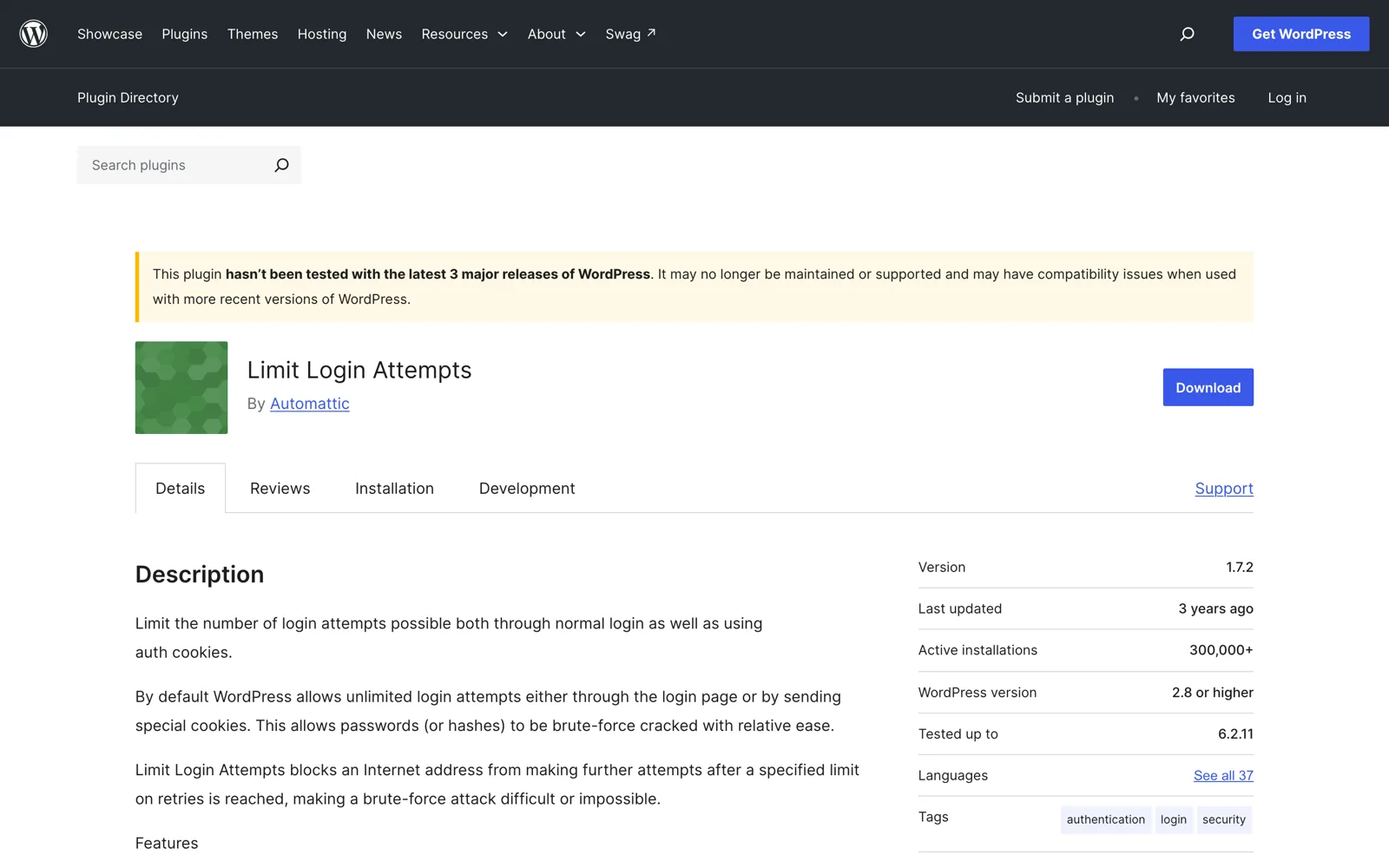
Two conditions, both taken from wordpress.org’s own data: no update to the plugin in 24 months or more, and the plugin page showing the directory’s yellow banner, “This plugin hasn’t been tested with the latest 3 major releases of WordPress. It may no longer be maintained or supported.” That banner appears when the “Tested up to” value in the readme is three major versions behind; with WordPress 7.1 current, everything tested only up to 6.6 or earlier gets it. Note what wordpress.org does not do: it does not close plugins for being old. The Plugin Developer FAQ says plugins are closed for guideline violations, security issues, author request, a readme that declares them deprecated, or an SVN that was never used. Age alone is fine. Which is why a plugin can sit at 300,000 installs with a three-year-old version and an open vulnerability.
Update, October 2026: an earlier version of this note said the directory API only exposes the top 500 plugins; that was wrong, the listing pages through the whole directory. Part two covers the next band down, plugins with 50,000 to 99,999 installs.
The list
| Plugin | Active installs | Last release | Tested up to | Open vulnerability | Still works on 7.1? |
|---|---|---|---|---|---|
| Template Kit Import (Envato) | 400,000+ | August 2024 | 6.4 | No (two patched) | Loads; users report import errors |
| Limit Login Attempts (original) | 300,000+ | April 2023 | 6.2 | Disputed: CVE-2023-1861 listed as unfixed by WPScan | Yes, with PHP deprecation notices |
| Layout Grid Block (Automattic) | 200,000+ | July 2023 | 6.2 | None known | Yes |
| Health Check & Troubleshooting | 200,000+ | July 2024 | 6.6 | Yes: CVE-2025-64253, unpatched | Yes |
| AddQuicktag | 100,000+ | May 2021 | 5.7 | None known | Yes (Classic editor only) |
| Easy Google Fonts | 100,000+ | July 2021 | 5.8 | None known | Yes, classic themes only |
| WP Downgrade | 100,000+ | May 2023 | 6.2 | No (one patched) | Fatal error reports on PHP 8.2 |
| WooSidebars (WooCommerce) | 100,000+ | March 2022 (readme bumped April 2024) | 6.5 | No (one patched, 2015) | Yes, with “translation loaded too early” notices |
| Search & Replace (WP Media) | 100,000+ | August 2024 | 6.5 | No (three patched) | Yes; author says unmaintained |
Five of the nine do not even declare a minimum PHP version. Three have a “last updated” date that flatters them: WooSidebars’ 2024 update was a readme edit, Layout Grid has a bug fix tagged on GitHub since April 2025 that was never shipped, and Health Check has fixes in its repository since December 2025 with no release. Owners who still answer questions: two. Owners who have written, somewhere, that they no longer maintain the plugin: two. Details below, in order of install count.
1. Template Kit Import by Envato, 400,000+ installs
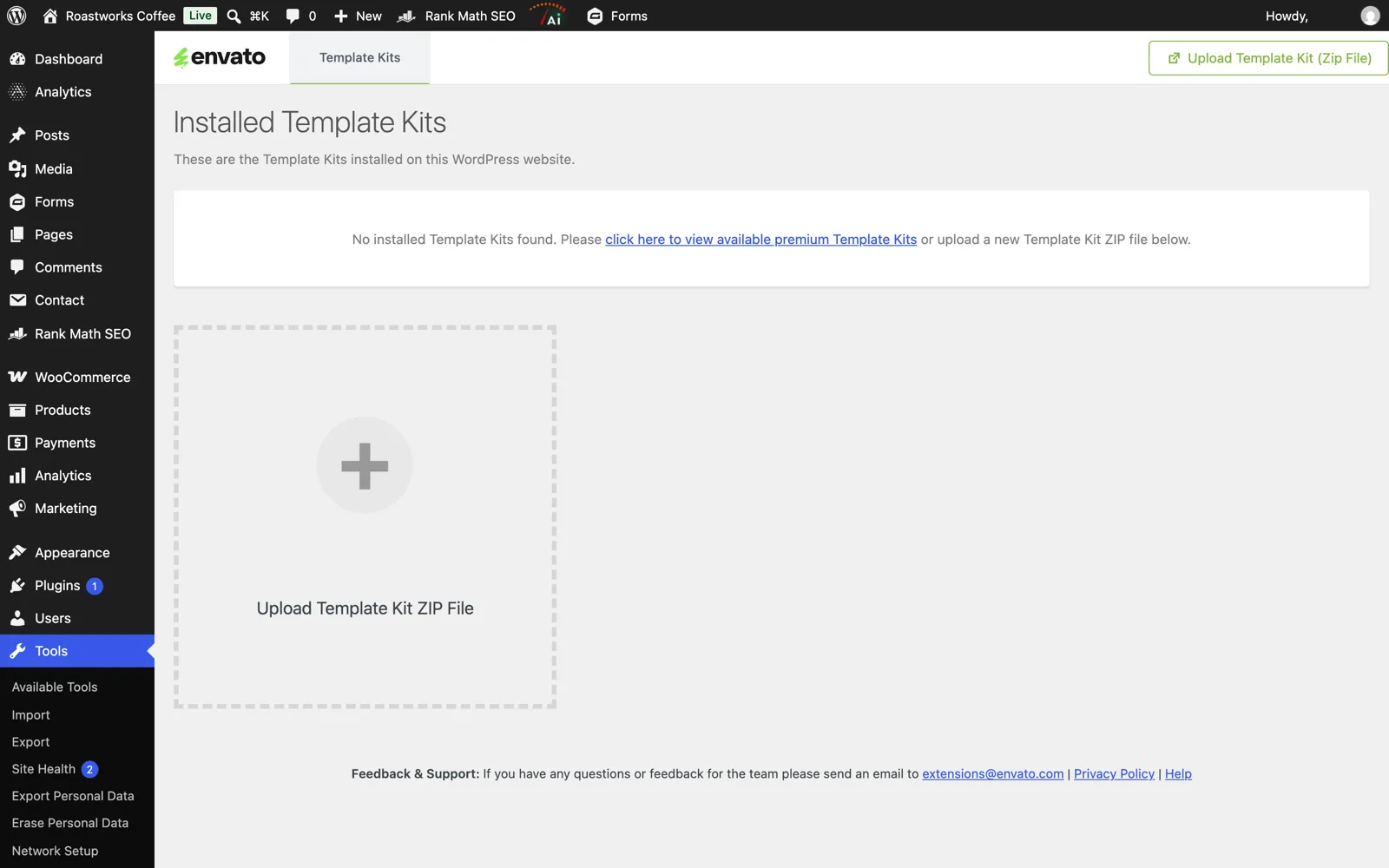
The importer for Elementor “Template Kits” sold on ThemeForest and Envato Elements: upload a kit zip under Tools, pick the pages you want, done. Last release 1.0.16 in the summer of 2024, tested up to 6.4. It is the biggest plugin on this list because Envato itself sent people here: when it closed the Envato Elements plugin in August 2025 by author request, Template Kit Import was the recommended replacement, and every kit’s installation guide still names it. The support forum has had no reply from Envato in about four years; the most recent threads (“Envato please update your plugin!”, “Plugin still working?”) have zero answers, and a January 2026 review reports “an unexpected error on a fresh install”. Two vulnerabilities in its history, both fixed: an arbitrary file upload for contributors (CVE-2021-4330, fixed in 1.0.14) and a stored XSS for authors (CVE-2024-2334, fixed in 1.0.15).
Use instead: Elementor’s own Kit Library under Templates, which has imported the same zip format since Elementor 3.3 in 2021. You do not need a second plugin for it.
2. Limit Login Attempts, the original, 300,000+ installs
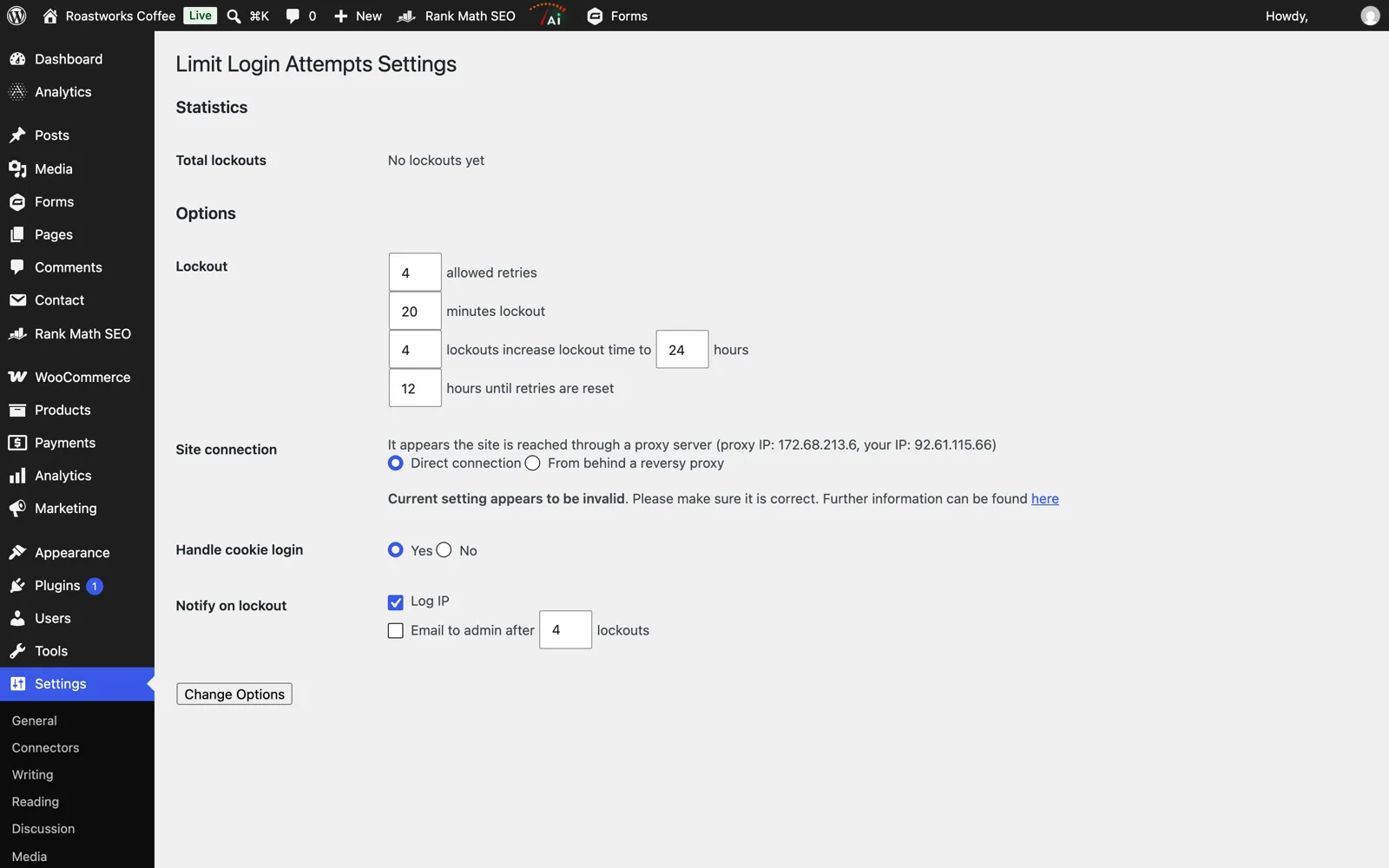
This is the 2009 plugin that made “lock out the IP after five failed logins” a WordPress convention, written by Johan Eenfeldt, whose wordpress.org profile went quiet in 2017. The listing now says “By Automattic”, but the last release, 1.7.2 in April 2023, was a security patch pushed with the Plugin Security Team, not a sign of life: it fixed an unauthenticated stored XSS through the X-Forwarded-For header (CVE-2023-1912). A second issue reported the same week, a stored XSS via usernames in the lockout log (CVE-2023-1861), is where the databases disagree: NVD says it affects “through 1.7.2”, WPScan lists it with “no known fix”, and the 1.7.2 diff does escape the field. We treat it as probably fixed and definitely nobody’s job to confirm. Three separate people have asked to adopt the plugin in the forum, in 2022, 2023 and 2024. None got an answer. The trunk on SVN contains a “2.0beta4” that was never released.
Use instead: Limit Login Attempts Reloaded, the maintained fork: a million installs, updated this month, tested with 7.1. If you are choosing a broader login setup, we compared the login methods that make brute force irrelevant.
3. Layout Grid Block by Automattic, 200,000+ installs
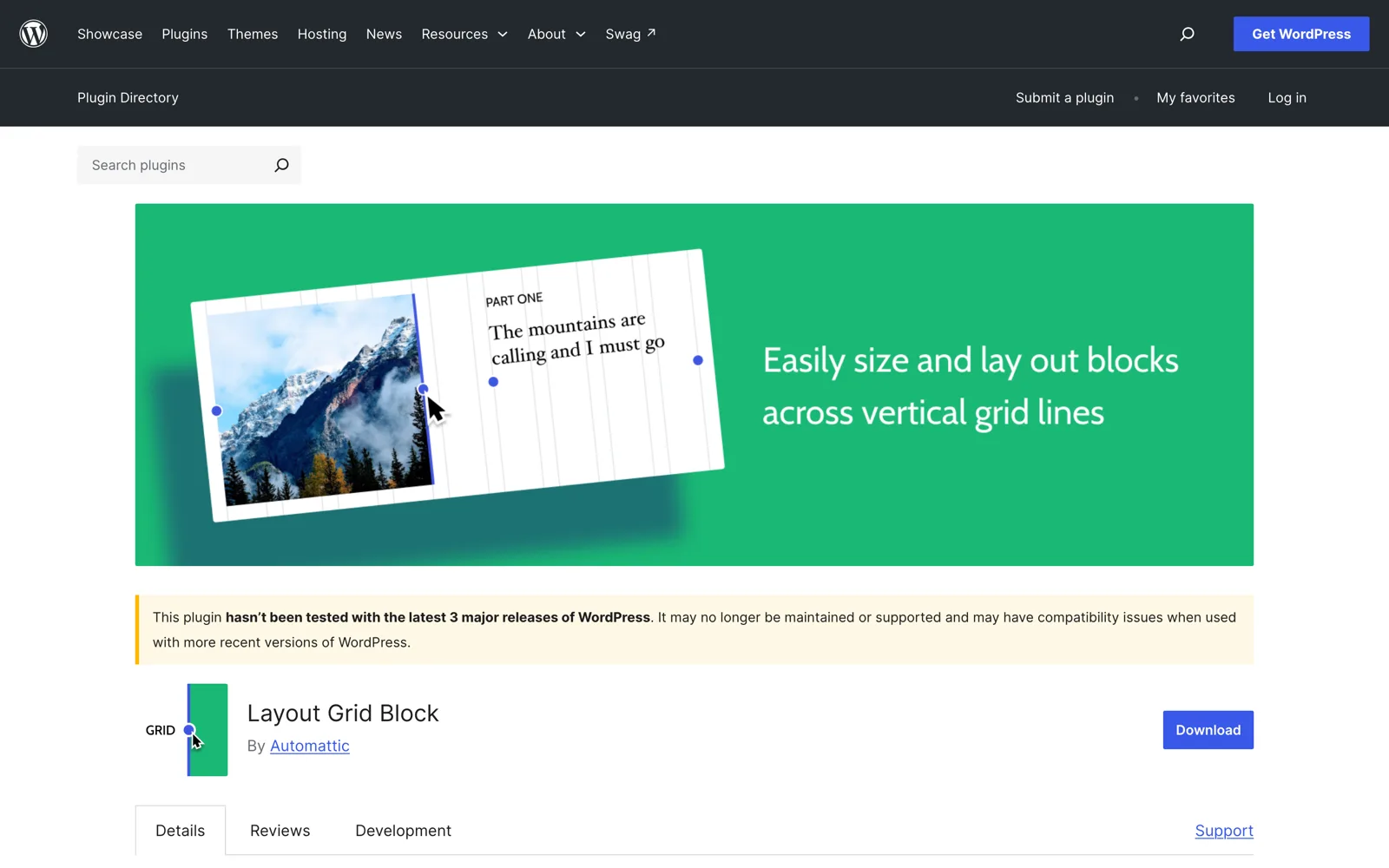
A block that gave the early block editor a responsive column grid with per-breakpoint widths, from Automattic’s block-experiments project. Last release 1.8.4 in July 2023, tested up to 6.2. It still renders fine on 7.1 and has no known vulnerabilities, so the risk is not what it does, it is what happens when it stops: content built with a third-party block becomes “unexpected or invalid content” the day the block is gone. The GitHub monorepo is alive with dependency bumps, and a 1.8.5 release with a fix for the iframed editor was tagged there in April 2025, but it never reached wordpress.org. A forum question from March 2026, “I’m assuming this plugin is obsolete?”, got a user’s “still works for me” and nothing from Automattic.
Use instead: core. The Columns block has been there since 5.0, and the Group block’s Grid layout with resizable children shipped in WordPress 6.6. Convert existing Layout Grid blocks while the plugin still renders them.
4. Health Check & Troubleshooting, 200,000+ installs
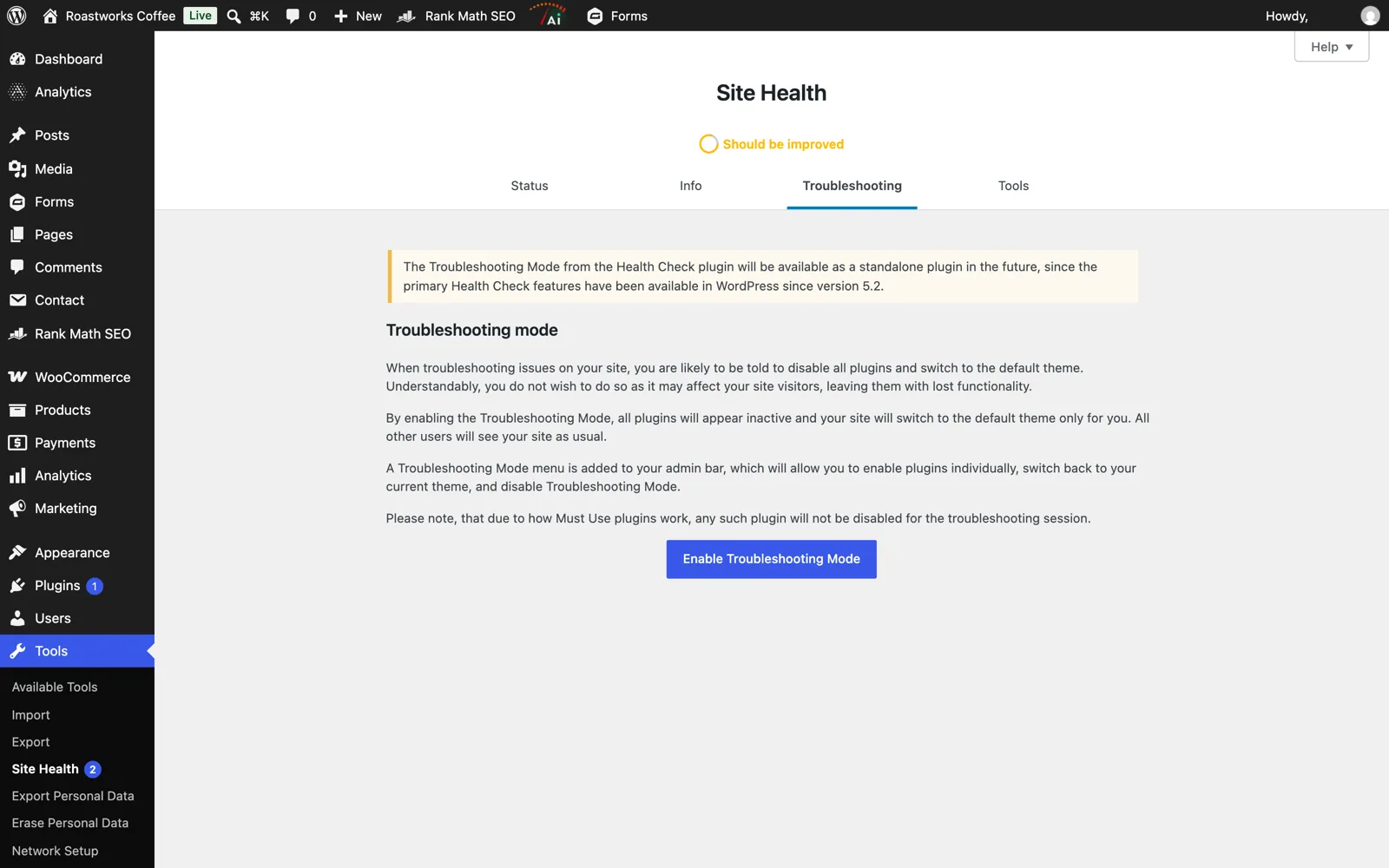
The one on this list with an open CVE, and the one with the strangest status. Health Check was the WordPress.org community’s troubleshooting tool, the plugin every support volunteer told you to install: it could disable all plugins for your session only, run mail tests and file integrity checks. Its main feature, Site Health, was merged into core in 5.2 back in 2019, and the plugin has been winding down since. Its GitHub README says it plainly: “This plugin has been deprecated”; the Troubleshooting Mode and the Tools moved to two tiny successor plugins. The wordpress.org readme does not say that, which is presumably why the plugin is still open and still at 200,000 installs.
Then, in December 2025, a path traversal in version 1.7.1 got a CVE (CVE-2025-64253, rated 4.9 by Patchstack). The maintainer replied in the forum that it requires an administrator who already has server access and poses “no apparent immediate risk”, and that they were waiting for more details from the reporter. Nine months later there is no release, and the support forum for August 2026 is a wall of “Plugin contains an unpatched security vulnerability” threads from people whose security scanners flag it every morning. Technically the maintainer is right about the severity. Practically, a plugin whose own author calls it deprecated should not be on a production site.
Use instead: Tools > Site Health in core for the checks, and the two successors for the extras: Troubleshooting and Site Health Tools, both by the same maintainer, both updated for 7.1, both at a few hundred installs because nobody knows they exist.
5. AddQuicktag, 100,000+ installs
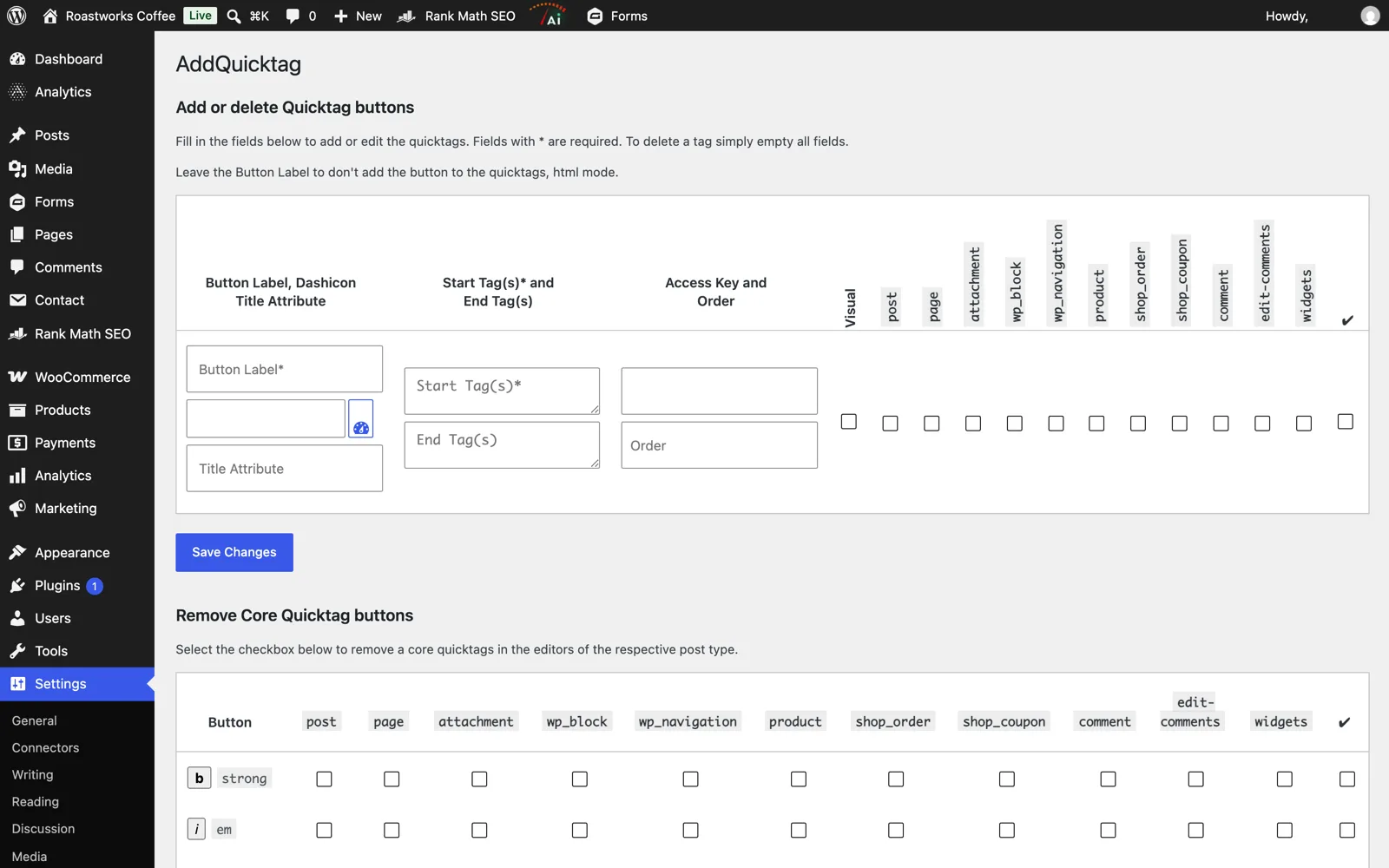
The oldest entry: first published in 2007, last released in May 2021, tested up to 5.7, twelve major versions ago. It adds custom buttons to the Classic editor’s HTML and visual modes, and its user base is where the Classic editor’s is: shortcode-heavy sites, a lot of them in Japan and Germany judging by the forum. The author, Frank Bültge, answered the last “is there an alternative?” thread in early 2023 with what amounts to a handover: the plugin is old, the export has bugs, the code is on GitHub, “perhaps the community will contribute”. The GitHub repository gets tooling commits, most recently this month, but the release is still 2.6.1. No vulnerabilities on record. It works on 7.1 if you run the Classic editor.
Use instead: Advanced Editor Tools for Classic editor toolbars, or Shortcoder if what you actually wanted was one-click shortcodes. In the block editor, reusable patterns do the job without a plugin.
6. Easy Google Fonts, 100,000+ installs
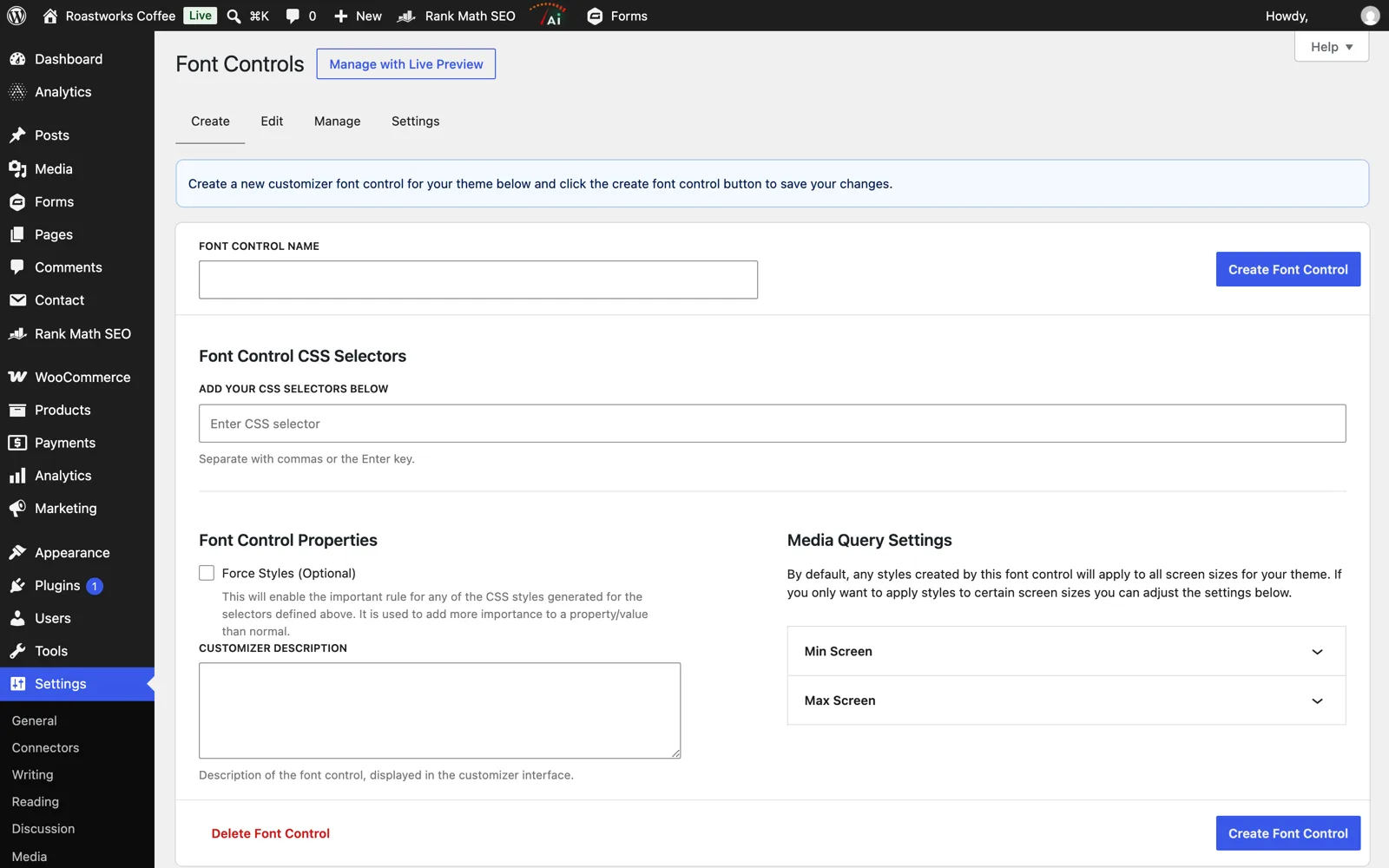
For a decade the easiest way to put a Google font on any theme: pick fonts in the Customizer, map them to CSS selectors, live preview. Last release July 2021, tested up to 5.8. The developer’s company site no longer resolves in DNS, the author profile’s last activity is February 2022, and threads asking about WordPress 6.0 compatibility, the site editor and GDPR have no replies. That last one matters more than the age: the plugin loads fonts from Google’s servers, which a German court decided in 2022 is a GDPR problem without consent, and there is nobody left to add a “host locally” option. It still works on classic themes on 7.1. No vulnerabilities on record.
Use instead: the core Font Library in the Site Editor since WordPress 6.5, which downloads Google fonts to your server. For classic themes, Fonts Plugin is maintained and hosts locally too.
7. WP Downgrade, 100,000+ installs
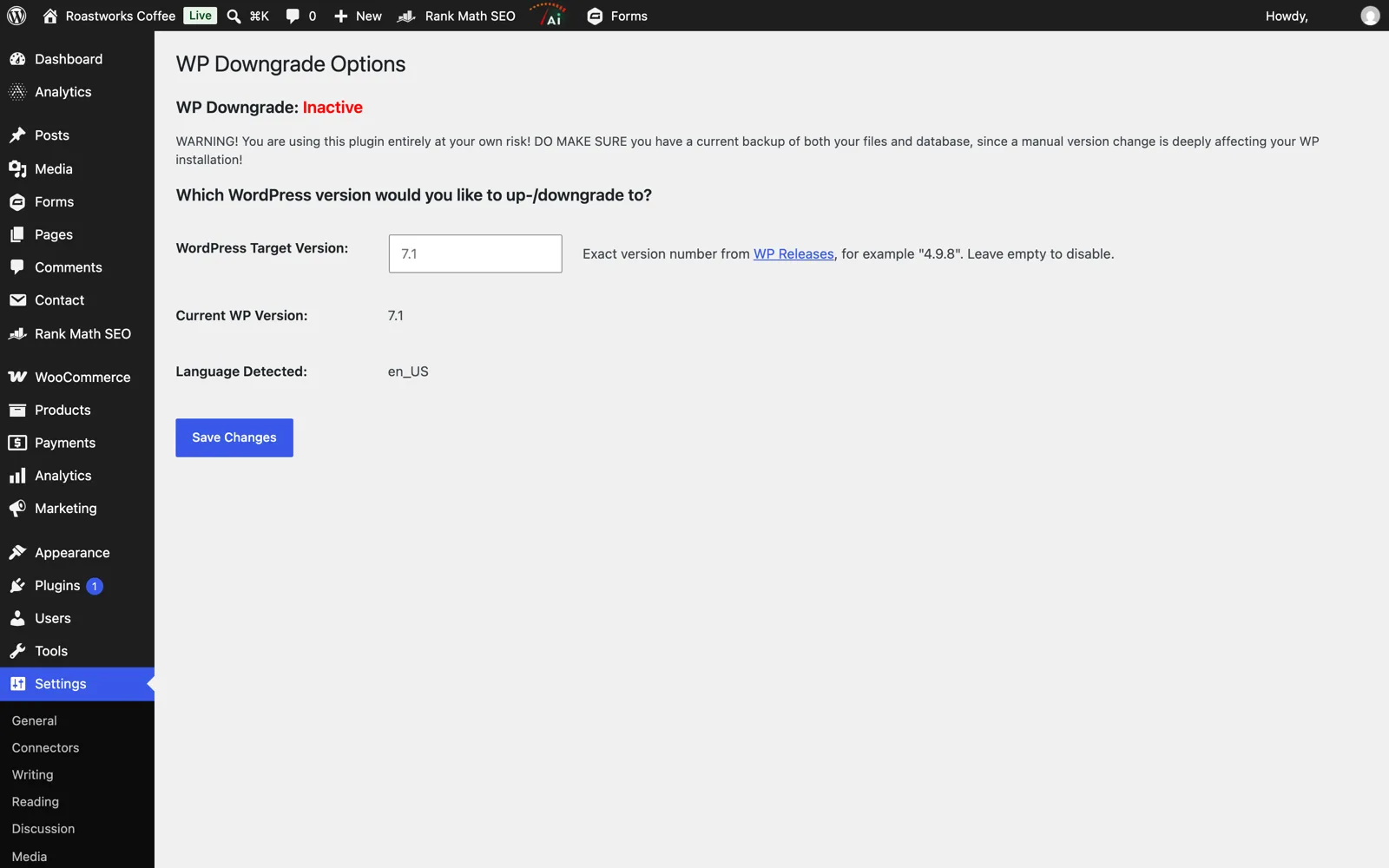
Type a version number, and the plugin tricks WordPress’s own updater into installing that core version instead of the latest. People install it the day an update breaks something and never remove it, which is how a plugin whose whole purpose is to replace WordPress core has 100,000 installs and a last release from May 2023. The forum has a February 2025 thread with a fatal error on PHP 8.2 (“Attempt to assign property ‘download’ on null”) and a December 2025 thread titled “What will it take to bring this plugin back to life?” offering to pay for maintenance. Neither got a reply. The one recorded vulnerability, an admin-level stored XSS, was fixed in 1.2.3 in 2022. Of all the plugins here this is the one to remove first: it hooks the update system, and if it ever misbehaves, it misbehaves on core files.
Use instead: for a one-off, WP-CLI does it in one line, wp core update --version=7.0.2 --force. For a maintained UI, Core Rollback by Andy Fragen, updated for 7.1. Either way, have a real backup before you touch core.
8. WooSidebars by WooCommerce, 100,000+ installs
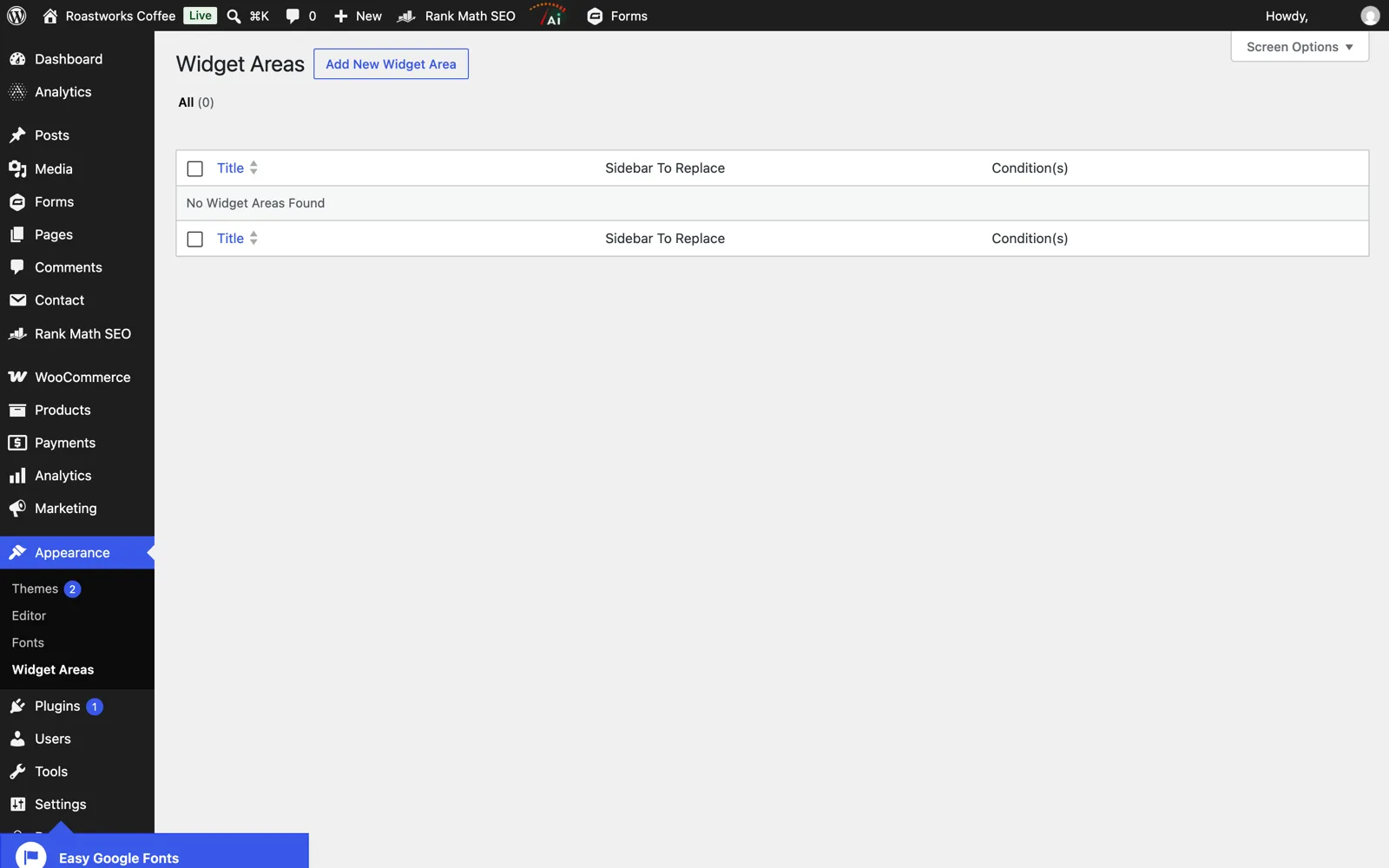
A WooThemes-era plugin that creates extra widget areas and swaps them into the theme’s sidebar by condition: this category, that page, search results. Its wordpress.org “last updated” says April 2024, but that was a readme edit; a WooCommerce contributor wrote in the forum that he had checked it against 6.5 and “updated the ‘Tested up to’ version”. The last code change is from March 2022, a PHP 8 fix, and the changelog on the plugin page stops in 2018. Since then: a PHP 8.3 “translation loading triggered too early” notice reported in December 2025 with a one-line patch attached that nobody merged, an “Is this plugin abandoned?” thread in May 2026, and a Wordfence “abandoned plugin” warning that a user mistook for a vulnerability. The one real vulnerability, an open redirect, was fixed in 2015. It runs on 7.1 with notices.
Use instead: on a block theme, template parts in the Site Editor make per-page sidebars a template question, not a plugin. On a classic theme, Custom Sidebars is maintained and does the same conditional swapping.
9. Search & Replace by WP Media, 100,000+ installs
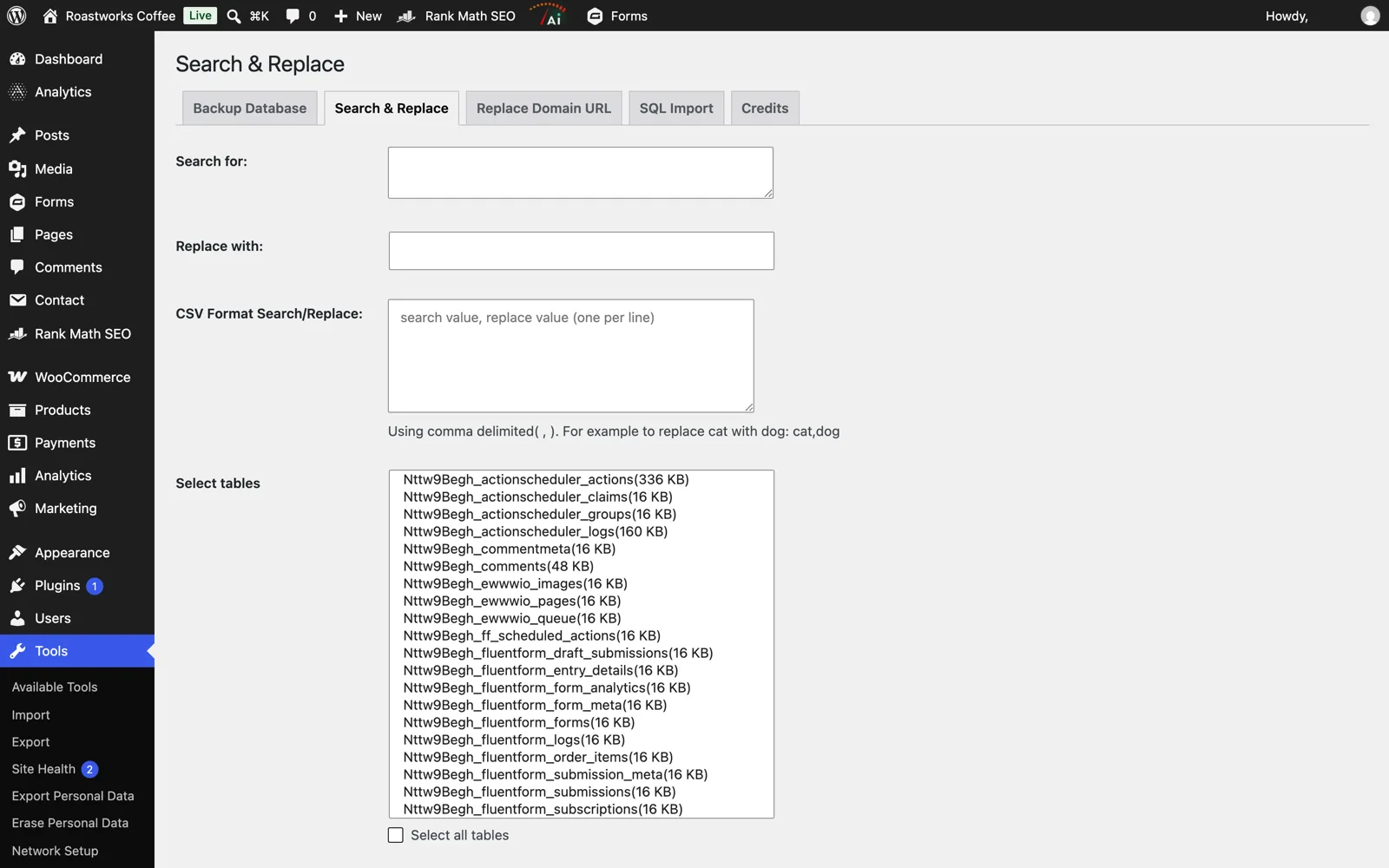
Database search and replace with serialized-data handling, a dry run, SQL export and a table prefix changer. It started as a Frank Bültge plugin in 2007, was rewritten by Inpsyde in 2016, and went to WP Media (the WP Rocket company) with Inpsyde’s plugin catalogue. The last release, 3.2.3 in August 2024, fixed an unauthenticated PHP object injection (CVE-2024-38759), following two SQL injection fixes in 3.2.2 three months earlier. Then the repository README gained one sentence: “This version of the plugin is not maintained anymore.” WP Media’s site does not list it. Forum threads about PHP 8.3 deprecations from 2025 have no replies. It still works, and it is the sort of plugin that stays installed after a one-time domain change, doing nothing, with a history of exactly the kind of bug that matters in a tool that writes to every table.
Use instead: wp search-replace in WP-CLI, which is what the hosts use, or Better Search Replace by WP Engine, a million installs and updated in June 2026. Delete either when the migration is done.
How to check your own site
WordPress does not show “last updated” or “tested up to” anywhere in wp-admin for plugins you already have. The Plugins screen will happily list a 2021 plugin next to a 2026 one with no visible difference. The data is one API call away, so ask the directory for each installed plugin:
for s in $(wp plugin list --field=name); do
  curl -s "https://api.wordpress.org/plugins/info/1.2/?action=plugin_information&request[slug]=$s&request[fields][last_updated]=1&request[fields][tested]=1" \
  | jq -r '"\(.slug)\t\(.last_updated // "not on wp.org")\ttested \(.tested // "-")"'
done | sort -k2
Anything with a date more than two years back or a “tested” value below 6.9 deserves a look. Then ask three questions: is there an open CVE for it (search the slug on WPScan or Patchstack), does core do this now, and is anyone answering the support forum. Two “no” answers and it goes. If you keep an abandoned plugin on purpose because nothing else does the job, at least make sure a security plugin with a vulnerability feed is watching it; we compared those, and most of the free ones do this part well.
The takeaway
Nine plugins, 1.6 million installs, and the pattern is the same each time: a plugin that solved a real problem, a maintainer who moved on, and a directory that keeps serving it because closing it would break sites. Four of the nine have been replaced by WordPress core itself (grids, site health, fonts, widget areas), two have a maintained fork or successor with a fraction of the installs, and two are one-time tools that should have been deleted after use. The directory’s yellow banner is the only warning you get, and you only see it on wordpress.org, never in your own admin. Run the check above; part two covers the next band down, plugins with 50,000 to 99,999 installs.