Most WordPress sites do not start with a toolkit. They grow into one, one small plugin at a time.
That works for a while. Then you end up with a login plugin, a role editor, an SMTP plugin, an email log plugin, a file manager, a snippets plugin, a maintenance mode plugin, and a few performance toggles scattered across the stack.
The real question is not whether those plugins are useful. Many of them are. The question is whether managing them separately is still the simplest setup for the site you run.
This is where Must-Have Tweaks takes a different approach. We built it as a modular admin toolkit, not as a single-purpose plugin, and not as a heavy suite that forces everything on.
What people usually compare Must-Have Tweaks against
In practice, there are three common alternatives.
The first is the stack of small utility plugins. This is probably the closest competitor in real life. You install one plugin for classic editor, another for comments, another for role management, another for media replacement, another for maintenance mode, and so on.
The second is a specialist suite, usually in security or performance. Plugins like Wordfence, Sucuri Security, Solid Security Pro, or Swift Performance are built for deeper focus in one area.
The third is a broader platform plugin like Jetpack. These can cover a lot of ground, but often with a wider product scope and more service-connected functionality than some site owners actually want.
None of those categories is wrong. They just solve a different problem.
Where separate plugins still make sense
It is worth being fair here. Separate plugins can be the better choice when you need depth in one specific area.
If your main problem is security hardening, malware response, or firewalling, a dedicated security product may be the right lead tool. Wordfence, Sucuri, and Solid Security have stronger security-first positioning than a general admin toolkit.
If your only goal is front-end speed optimization, Swift Performance is more narrowly focused on performance. That focus is useful when performance is the whole project.
And if you only need one tiny feature, installing one tiny plugin can be perfectly reasonable.
The point is not that every site should replace every specialist tool. The point is that many WordPress sites accumulate lots of small operational plugins that are only there to patch admin friction, user management gaps, content workflow issues, and maintenance tasks.
That is the gap Must-Have Tweaks is designed to fill.
How our approach differs
The biggest difference is modularity without plugin sprawl.
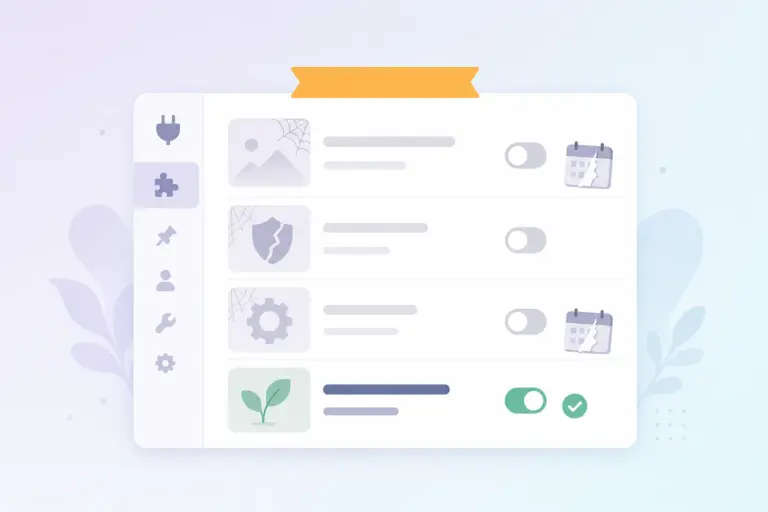
Must-Have Tweaks includes 45+ features across login security, user management, admin cleanup, content workflow, media handling, email, database tools, snippets, and performance settings. But those features are independently toggleable. If you do not enable a feature, it does not load.
That matters because many all-in-one plugins become hard to trust once they start behaving like a monolith. We took the opposite route. Disabled features add zero overhead, no database queries, no hooks, no file includes.
So the comparison is not really “one giant plugin versus one small plugin.” It is closer to “one controlled modular system versus a pile of separate utilities.”
A few examples make that clearer:
- Instead of a standalone role plugin, login plugin, and temporary user plugin, you can manage roles, capabilities, temporary users, user switching, and activity logging in one place.
- Instead of separate SMTP and mail log plugins, you can configure SMTP, log outgoing mail, search logs, resend emails, and optionally track opens from the same dashboard.
- Instead of adding a snippet plugin plus a file manager plus a cron utility, you can handle snippets, file edits, database access, and cron events inside one toolkit.
Where Must-Have Tweaks is stronger than broad suites
Compared with broader platforms like Jetpack, our approach is narrower in a useful way.
Jetpack does many things well, especially for users who want a large connected product ecosystem. But that scope can feel broader than necessary if what you really need is tighter control inside wp-admin.
Must-Have Tweaks is more operational. It focuses on practical WordPress administration features such as:
- role and capability editing
- content view restrictions
- widget and nav menu visibility by role
- login customization, 2FA, passkeys, magic links, and brute-force limits
- file management with PHP safety checks
- database browsing, SQL access, import/export, cleanup, and cron management
- admin notice organization and admin menu management
In other words, we are not trying to be a general website platform. We are trying to make day-to-day WordPress management cleaner and more efficient.
Where specialist plugins may still win
There are areas where a focused tool may still be the better answer.
Security depth
Must-Have Tweaks includes useful login security features such as 2FA, passkeys, magic links, login attempt limiting, hidden login errors, and XML-RPC disabling. For many sites, that is a meaningful improvement.
But if your buying decision is primarily about security monitoring, incident response, or a dedicated firewall layer, a specialist security product may offer more depth.
Performance depth
Our performance tab includes practical toggles like disabling emoji, embeds, RSS feeds, author archives, self-pingbacks, query strings, heartbeat frequency, and jQuery Migrate on the frontend.
That helps reduce clutter and unnecessary behavior. But it is not the same category as a dedicated performance plugin built specifically around speed optimization.
Brand familiarity
This matters more than people admit. Well-known plugins like Jetpack and Wordfence have much broader market recognition. For some teams, that alone affects shortlisting.
Why agencies and power users often prefer the toolkit model
If you manage multiple WordPress sites, the cost is not just plugin licenses. It is operational complexity.
Every extra plugin adds another settings page, update path, UI pattern, compatibility question, and support surface. Even when each plugin is small, the combined overhead is not small.
This is one part of Must-Have Tweaks we like most: it gives you a unified settings dashboard, export and import for settings, and full WP-CLI support for managing options and features across environments.
That makes a difference for agencies, freelancers, and in-house teams that repeat the same setup work again and again. It is also useful for production sites where you want to enable only the specific tools you actually need.
If you want the details, see our Must-Have Tweaks documentation, which covers the available modules and how they behave.
Take-home message
Must-Have Tweaks is not a replacement for every specialist WordPress plugin. It is a replacement for plugin sprawl.
If you need deep security, use a security product. If you need deep performance tuning, use a performance product. But if your WordPress admin stack has grown into a collection of small fixes, helpers, and workflow patches, a modular toolkit is often the cleaner architecture.
That is exactly why we built Must-Have Tweaks. If that sounds like your situation, explore the plugin and see which modules would let you simplify your setup without giving up control.